Smartcar is the vehicle-control path, not the product boundary
Guestpass can use Smartcar where the vehicle and account support it, but the guest flow remains the same when a host later uses Uconnect, Linka, or supported hardware.

Smartcar unlock links
Use Smartcar-capable vehicles inside a broader provider-agnostic Guestpass workflow that also supports Uconnect, Linka, and hardware paths.
Why hosts search for it
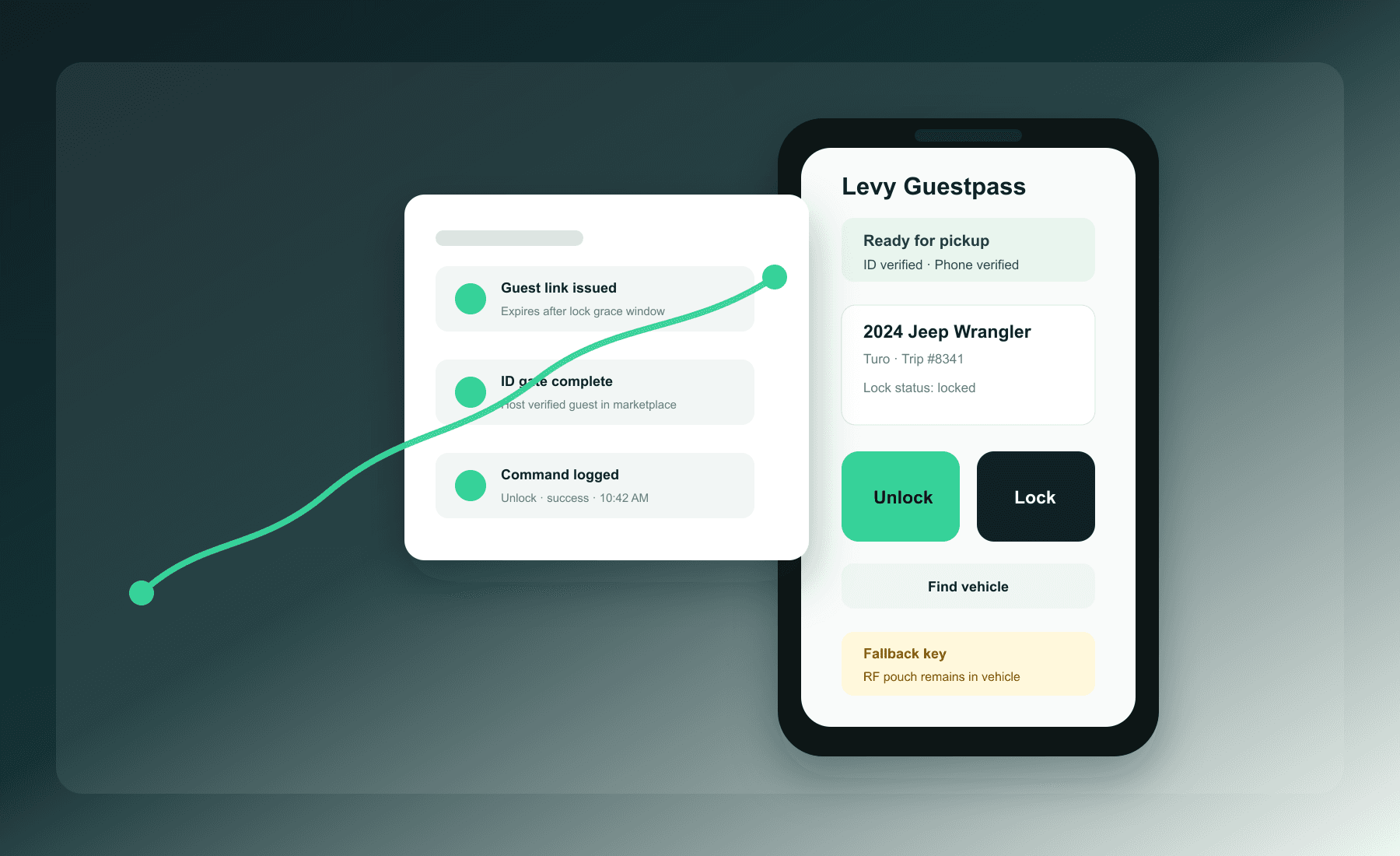
Smartcar unlock links searches usually come from hosts who already have demand but need a cleaner way to hand off a vehicle without exposing lockbox codes, sharing OEM credentials, or losing the audit trail.
Check provider readiness before creating a session.
Warn on stale location or lock-state telemetry.
Classify provider failures for support follow-up.
Keep the guest experience consistent across Smartcar and non-Smartcar vehicles.
Deep dive
Guestpass can use Smartcar where the vehicle and account support it, but the guest flow remains the same when a host later uses Uconnect, Linka, or supported hardware.
Hosts should know when telemetry is stale, lock status is unknown, or provider credentials need attention before sending a guest to the pickup location.
Unavailable vehicle, expired provider token, rate limit, permission mismatch, and unknown provider errors are classified so support knows whether to retry, escalate, or use the fallback.
Product tour
The guest app and mobile web flow keep verification, command controls, and fallback support in one place.
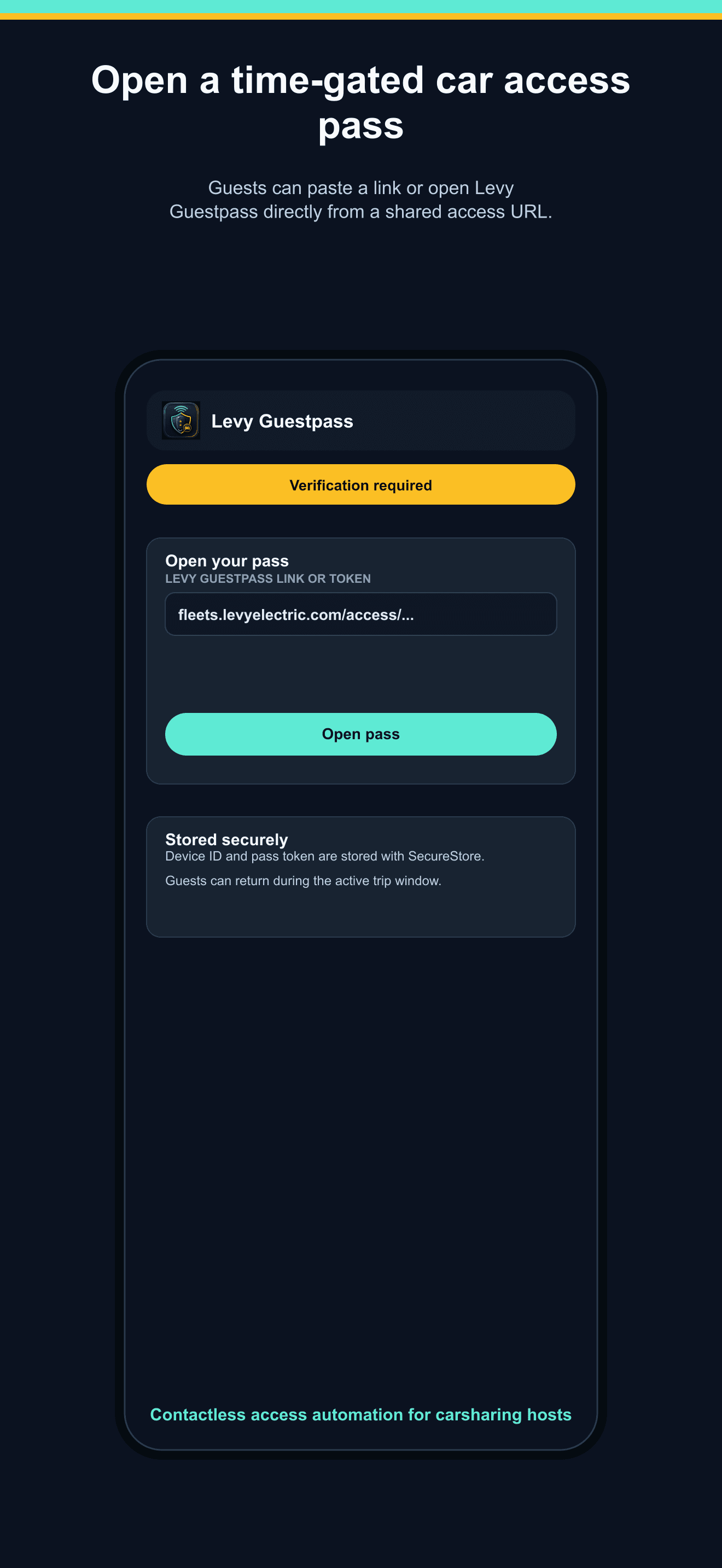
Open pass
Guests see the vehicle, access window, verification status, and the next required step before any command button is emphasized.
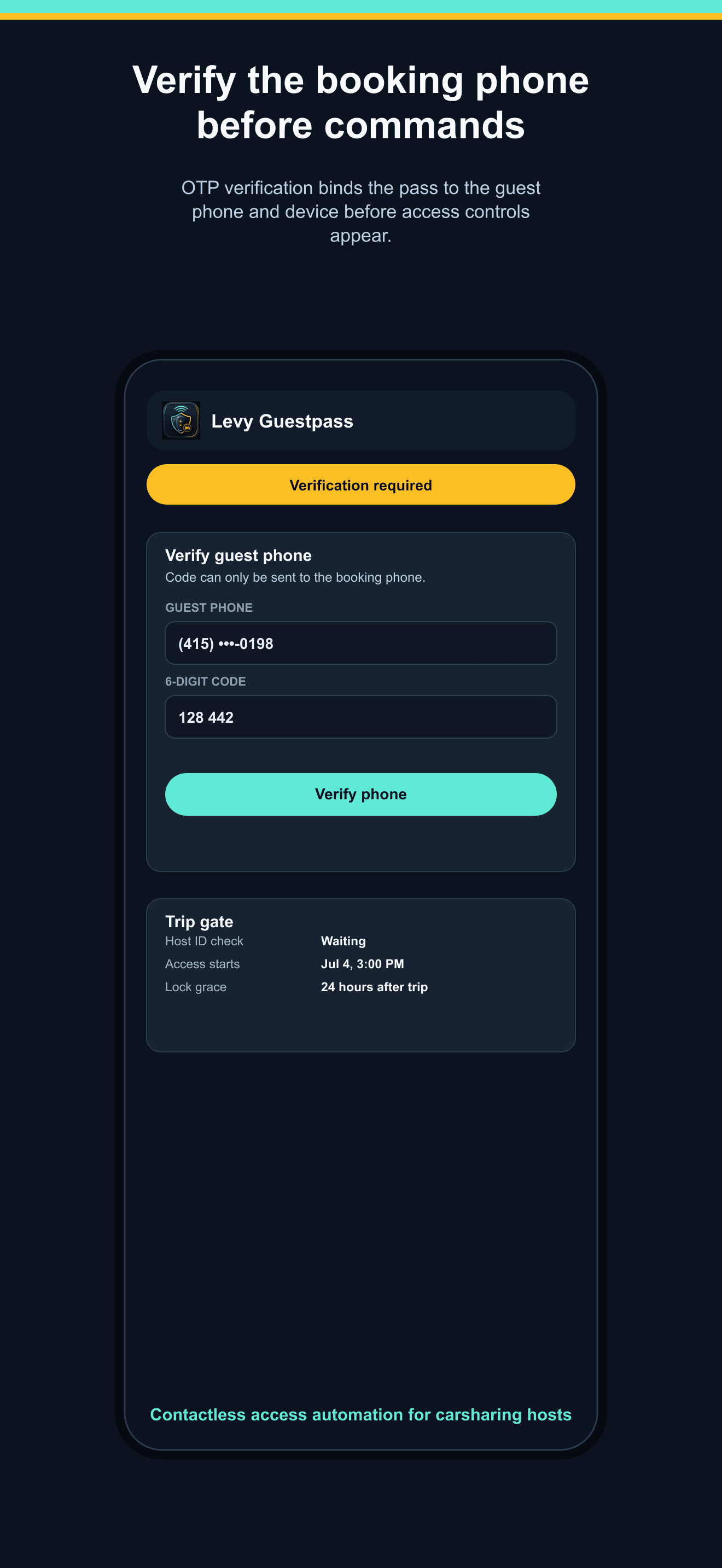
Verify phone
The pass verifies the guest phone number before command access, which helps reduce forwarded-link and wrong-recipient risk.
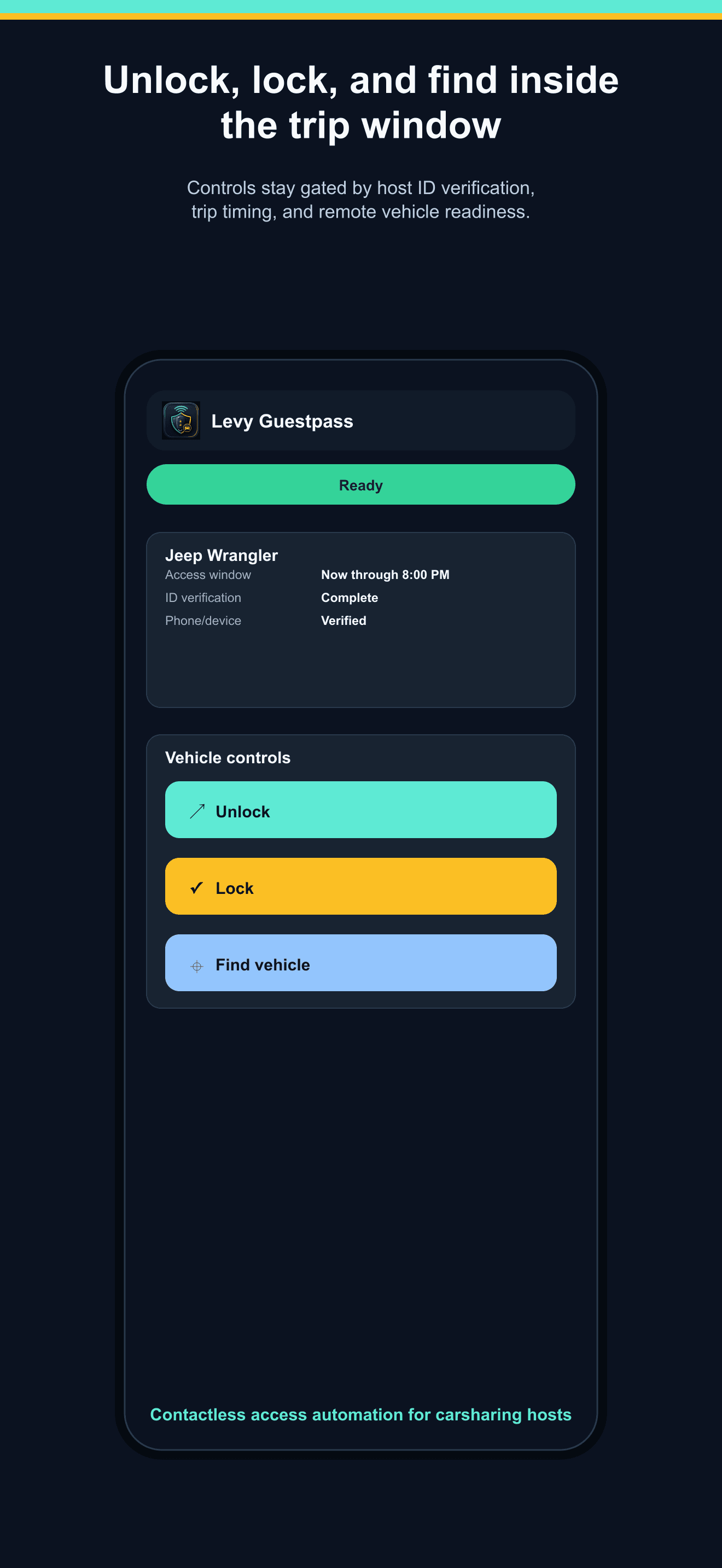
Control window
Unlock, lock, and find-vehicle actions are shown only after the session, phone, device, ID gate, and time window allow it.
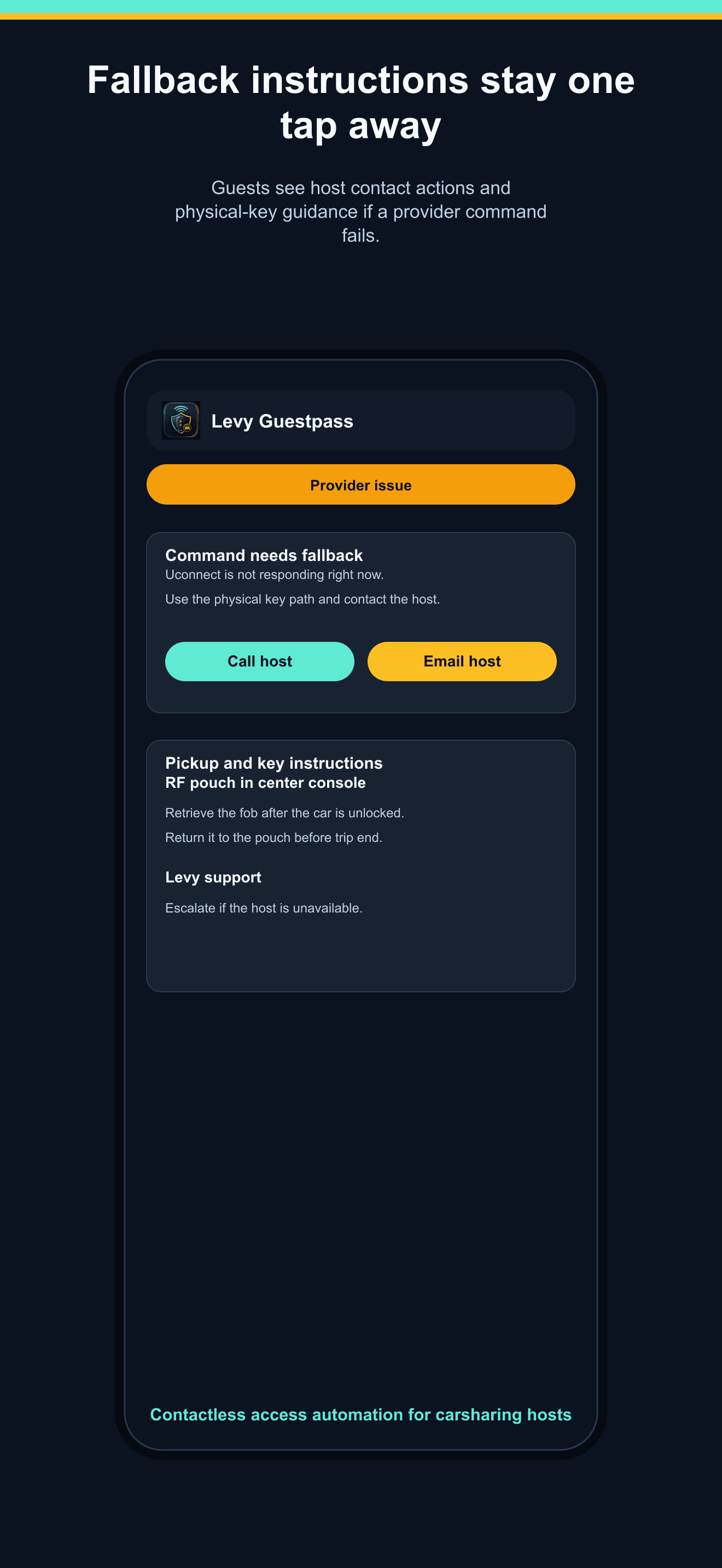
Fallback support
When provider commands fail or a physical fob is required, guests see fallback instructions and support actions without leaving the pass.
Controls and safeguards
Guestpass should make remote access easier without making it casual. The product keeps host verification, fallback keys, and provider failure states visible.
The guest opens a focused pass instead of receiving OEM credentials, screenshots, or reusable lockbox codes.
Command access follows the trip window, session state, verification status, and lock grace rules.
Views, OTPs, denials, commands, provider failures, revokes, and support actions stay attached to the session.
Guests still see physical-key fallback instructions when provider access fails or a fob workflow is required.
Operational model
The host chooses the vehicle, trip start/end, guest phone, marketplace label, pickup instructions, and physical-key fallback copy.
Guestpass does not unlock before the host marks marketplace or direct-rental ID verification complete.
The guest action routes through the vehicle path already configured in Levy Fleets, including Smartcar/OEM, Uconnect, Linka, or hardware paths where available.
Page views, OTP attempts, denied commands, successful commands, provider failures, support overrides, and revocations stay attached to the session.
FAQ
No. Hosts create or manage access sessions in Levy Fleets, then send a guest link. Guestpass does not depend on private marketplace APIs.
No. Commands are gated by session status, time window, phone verification, device checks, and the host-controlled ID verification gate.
The pass keeps physical-key or fob fallback instructions visible and records the provider failure for host/support follow-up.
Pilot Levy Guestpass
We will qualify your vehicles, marketplace workflow, fallback plan, and pilot timing.
Contact
Ship a proof-of-concept, integrate credit reporting, or hand off the workflow entirely—we respond within one business day and loop in the right Switch Labs partner for your stack.